Text File Upload
The simplest way to get a topology into Topolograph: copy the Link-State Database from one router and paste (or upload) it. No agents, no tunnels, nothing that touches the live network.
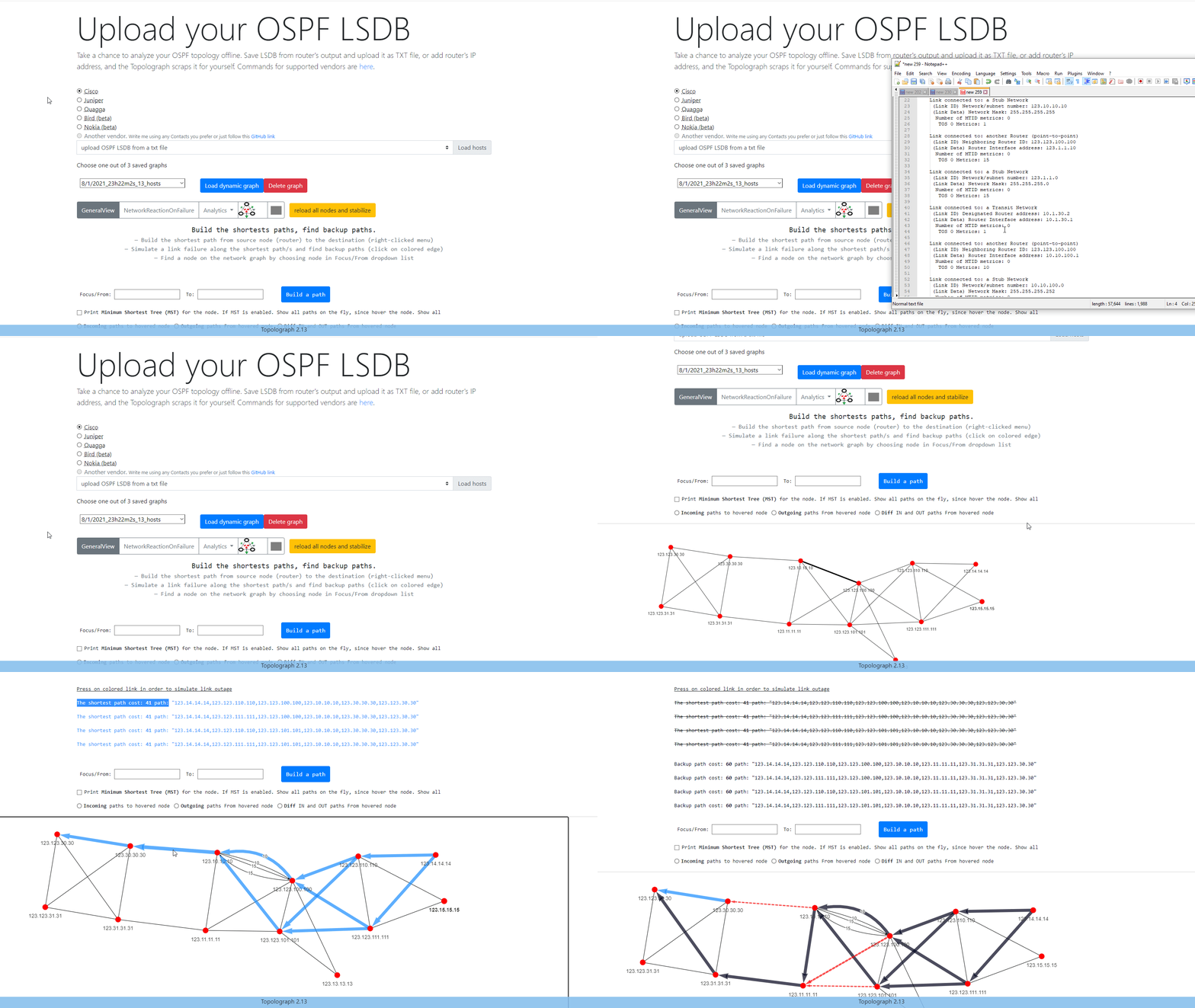
Why one router is enough
OSPF and IS-IS are link-state protocols: every router inside an area/level holds an identical copy of the area's database. Topolograph reconstructs the whole topology from that single copy — so you only ever need to collect it once, from one device.
To see the network across several areas, collect the output from an ABR (Area Border Router): it holds the LSDB of every area it connects to.
1. Collect the database
Run the LSA/LSP database commands for your platform and save the output to a plain text file. The full matrix is below; see Supported Vendors for OSPFv3 and IS-IS TLV details.
| Vendor | LSA 1 (router) | LSA 2 (network) | LSA 5 (external) |
|---|---|---|---|
| Cisco | show ip ospf database router |
show ip ospf database network |
show ip ospf database external |
| Cisco NX-OS | show ip ospf database router detail |
show ip ospf database network detail |
show ip ospf database external detail |
| Quagga | show ip ospf database router |
show ip ospf database network |
show ip ospf database external |
| Ruckus | show ip ospf database link-state router |
show ip ospf database link-state network |
show ip ospf database external-link-state |
| Juniper | show ospf database router extensive \| no-more |
show ospf database network extensive \| no-more |
show ospf database external extensive \| no-more |
| Bird | show ospf state all |
show ospf state all |
show ospf state all |
| Nokia | show router ospf database type router detail |
show router ospf database type network detail |
show router ospf database type external detail |
| MikroTik | /routing ospf lsa print detail file=lsa.txt |
/routing ospf lsa print detail file=lsa.txt |
/routing ospf lsa print detail file=lsa.txt |
| Huawei | display ospf lsdb router |
display ospf lsdb network |
display ospf lsdb ase |
| IP Infusion OcNOS | show ip ospf database router |
show ip ospf database network |
show ip ospf database external |
| Palo Alto | show routing protocol ospf dumplsdb |
show routing protocol ospf dumplsdb |
show routing protocol ospf dumplsdb |
| Ubiquiti1 | show ip ospf database router |
show ip ospf database network |
show ip ospf database external |
| Allied Telesis | show ip ospf database router |
show ip ospf database network |
show ip ospf database external |
| Extreme | show ospf lsdb detail lstype router |
show ospf lsdb detail lstype network |
show ospf lsdb detail lstype as-external |
| Ericsson | show ospf database router detail |
show ospf database network detail |
show ospf database external detail |
| Fortinet | get router info ospf database router lsa |
get router info ospf database network lsa |
get router info ospf database external lsa |
| FRRouting | show ip ospf database router |
show ip ospf database network |
show ip ospf database external |
| Vendor | Command |
|---|---|
| Arista | show ipv6 ospf database detail |
| Vendor | Database command |
|---|---|
| Cisco | show isis database detail |
| Juniper | show isis database extensive |
| Nokia | show router isis database detail |
| Huawei | display isis lsdb verbose |
| ZTE | show isis database verbose |
| MikroTik RouterOS | /routing/isis/lsp/print detail without-paging |
You can place the LSA 1 / 2 / 5 sections (OSPF) into a single file — Topolograph parses them together.
Optional: richer links with TE data
For FRRouting or IP Infusion OcNOS OSPF, append
show ip ospf database opaque-area to the same
file to include link bandwidth, TE metric and administrative group. The graph
still builds without it. See Traffic Engineering.
2. Upload it
- Open Topolograph (
http://localhost:8080/for a local install). - Start a topology upload and paste or attach your text file.
- Select the matching vendor and protocol (OSPF / IS-IS).
- Optionally, give the upload a name (e.g.
before router upgradeorbefore maintenance) so you can find the snapshot later. - Click Upload hosts. Topolograph parses the database and renders the graph.
The result is a snapshot — a frozen picture of the network at upload time. Every analysis runs against the snapshot, so nothing you try affects production.
3. Compare states over time
Upload an updated LSDB file later and Topolograph can diff the two snapshots, highlighting exactly what changed — new/removed nodes and links, cost changes, and appearing/disappearing networks. See Comparing Network States.
Uploading via API instead
Anything you can paste, you can also POST. The
Python SDK wraps this — and can even collect the
LSDB from your devices over SSH and upload it in one step:
Want live updates instead of snapshots? Stream the topology with a GRE or BGP-LS Watcher session.