Visualizing & Analyzing
This is the heart of Topolograph: an interactive OSPF/IS-IS graph you can probe with the same algorithms the routers use. Everything below runs against your uploaded snapshot, so experiments never affect the production network.
Shortest paths
Pick a source and a destination node and Topolograph builds the shortest path tree between them, highlighting the path(s) and showing the total IGP cost.
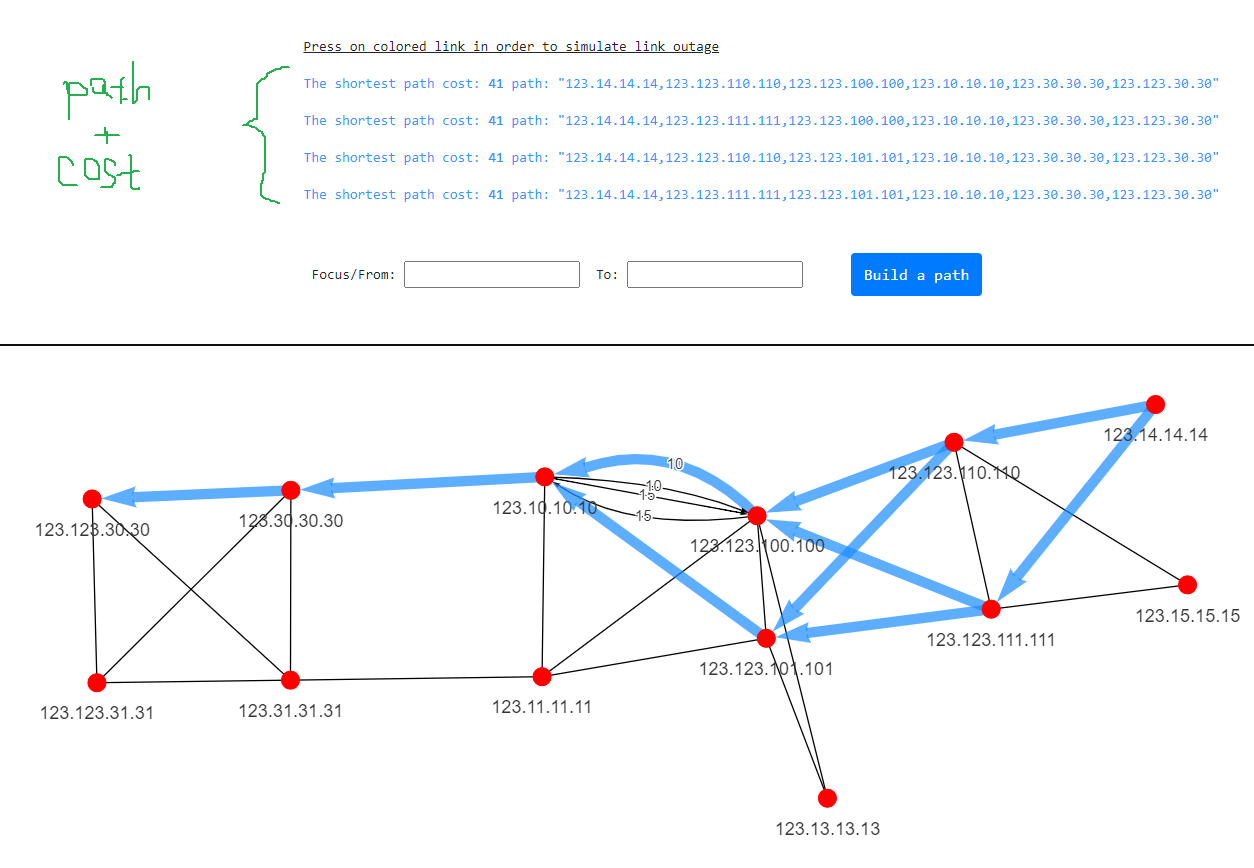
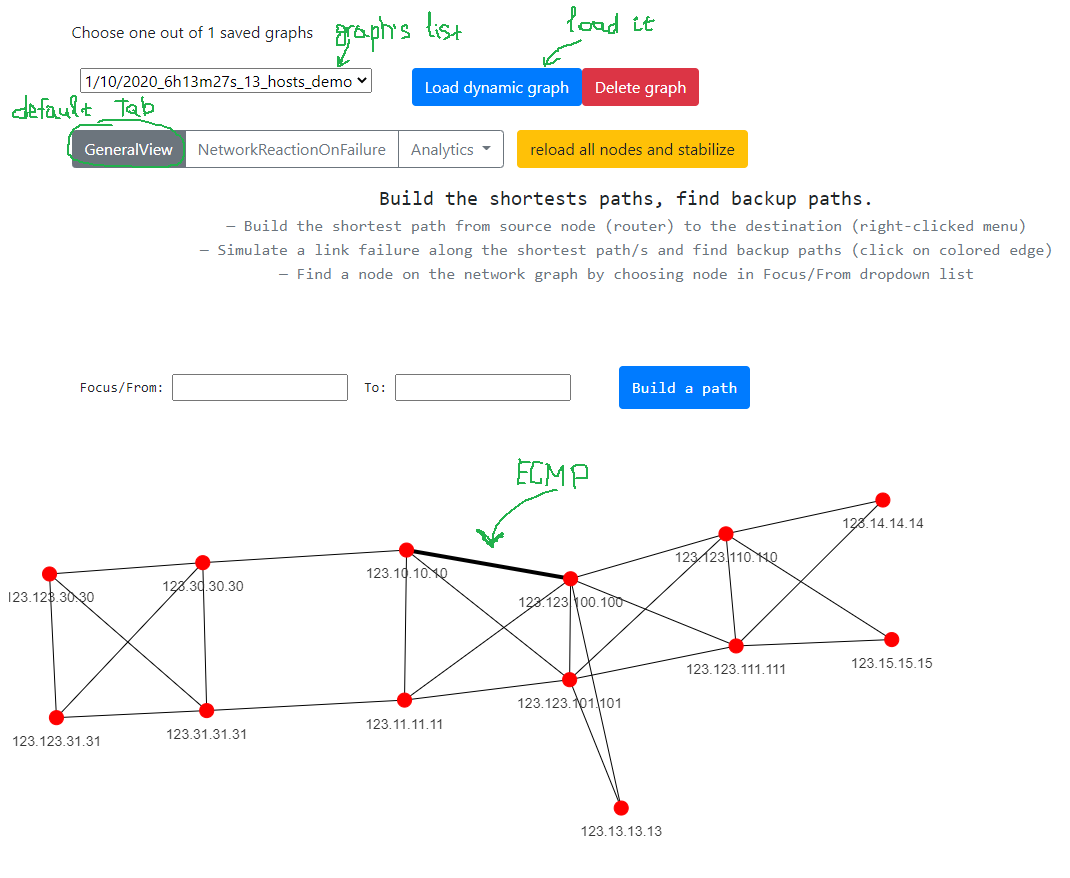
When multiple equal-cost paths exist, ECMP is shown explicitly so you can see where traffic load-balances.
Backup paths
Topolograph doesn't just show the primary path — it computes the backup path the network would actually use if the primary failed, including secondary backups. This answers the question every change-window raises: "if this link goes, where does the traffic go?"
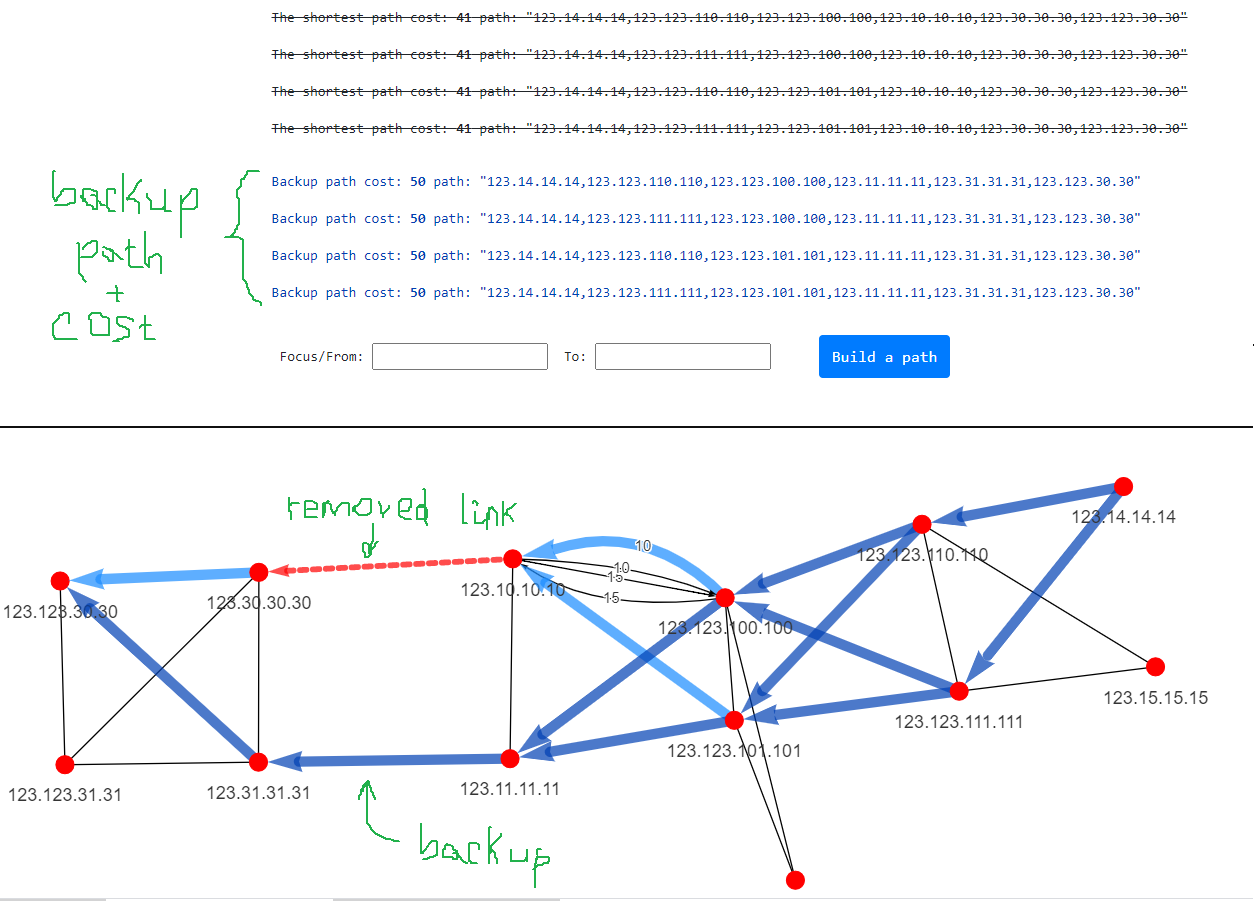
When you reason about capacity during a failure, all links are counted, whether or not they belong to an ECMP set.
Simulating failures
Test "what if" scenarios without changing anything on the live network.
Shut a link
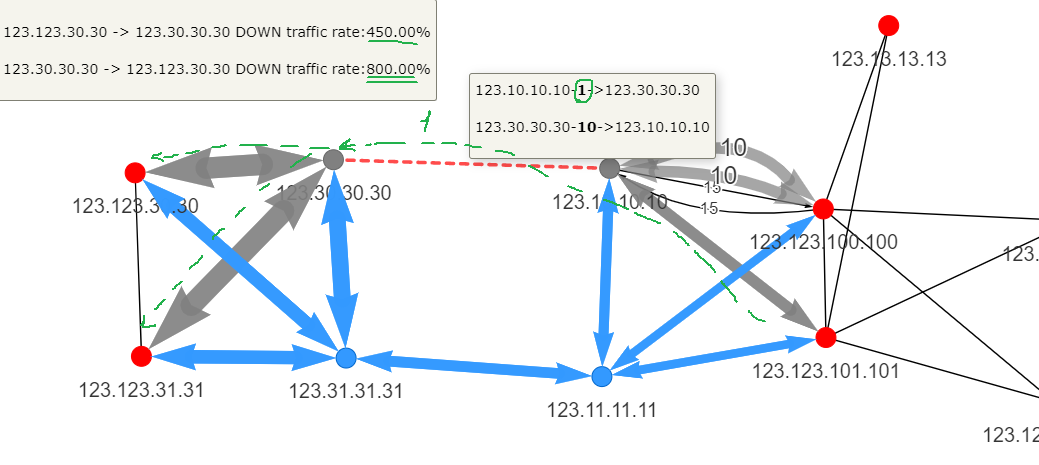
First make sure you are in failure-reaction mode: switch from the general view to the Network reaction to failure tab. On that tab a left-click on a link changes behaviour — each click simulates an adjacency going down / the link being removed from the graph. Topolograph recomputes paths instantly and shows how traffic re-routes around it.
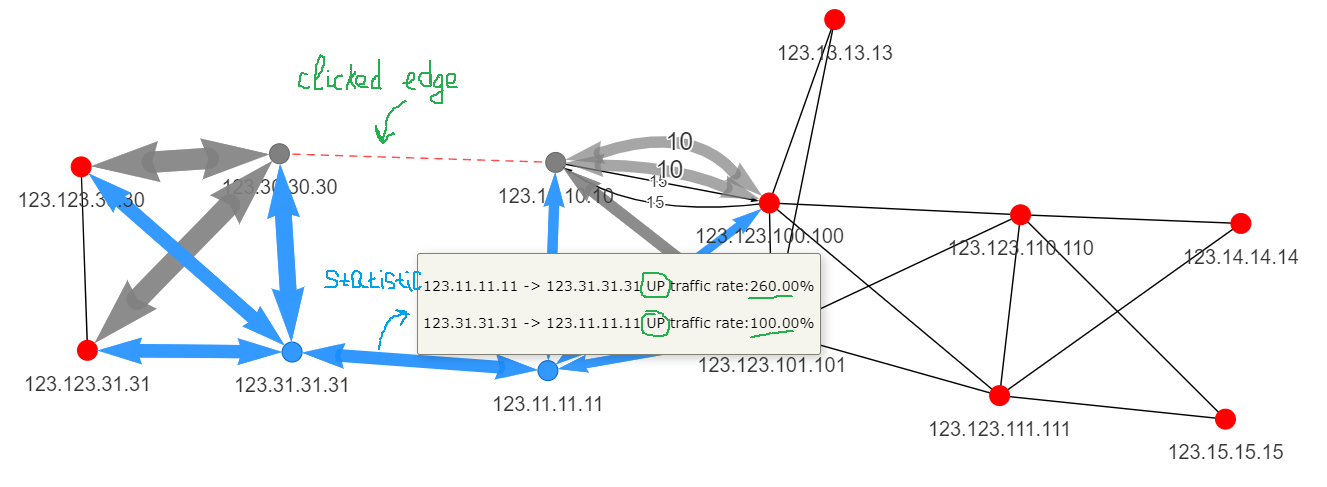
You can see the result together with statistics on the recalculated paths:
Shut a node
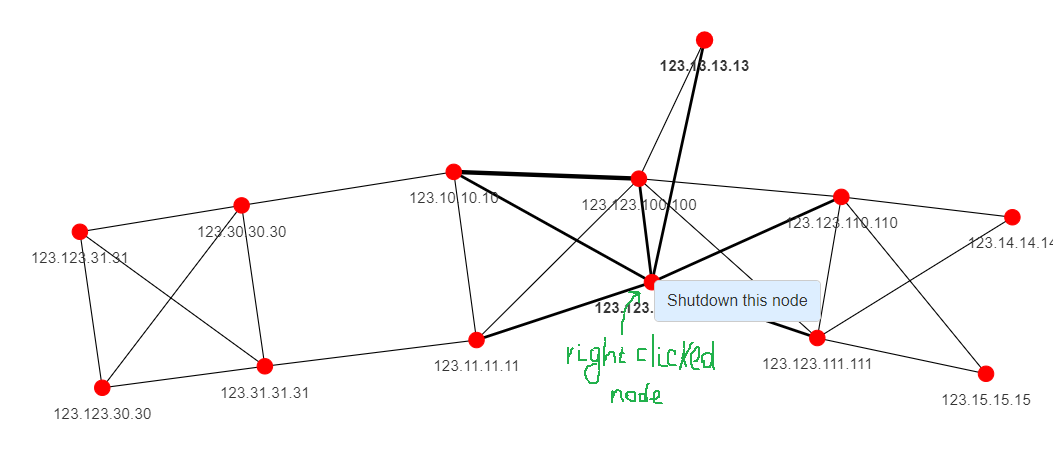
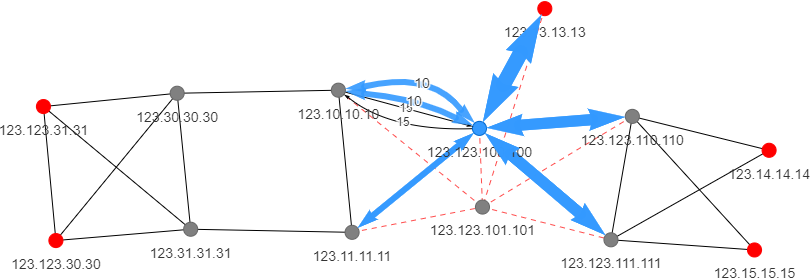
Simulate an entire router failing and watch traffic flow around the failed node. Right-click a node and choose Shutdown this node.
Planning link costs
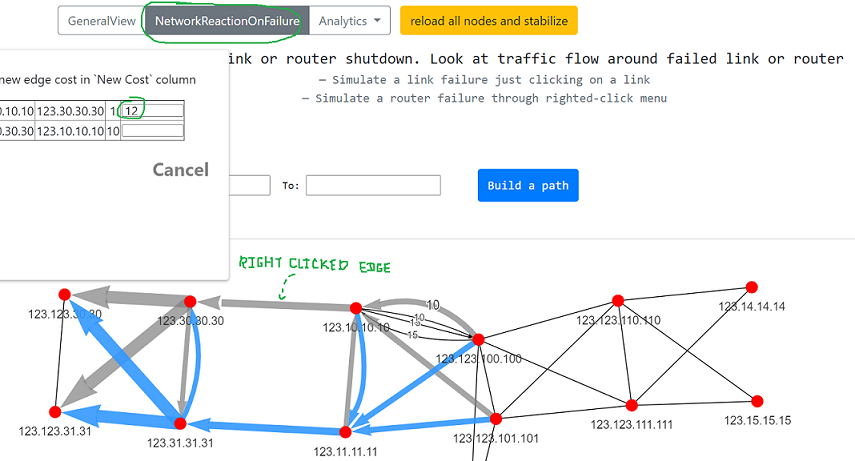
Change an IGP metric on the fly and immediately see the effect on path selection — ideal for planning network work, draining traffic off a link, or checking a metric before applying it on the real network.
Make sure you are still on the Network reaction to failure tab. Right-click a link: a form listing the links appears. Set a new metric value next to the link you need — the re-routing result shows on the graph immediately.
Network Heatmap
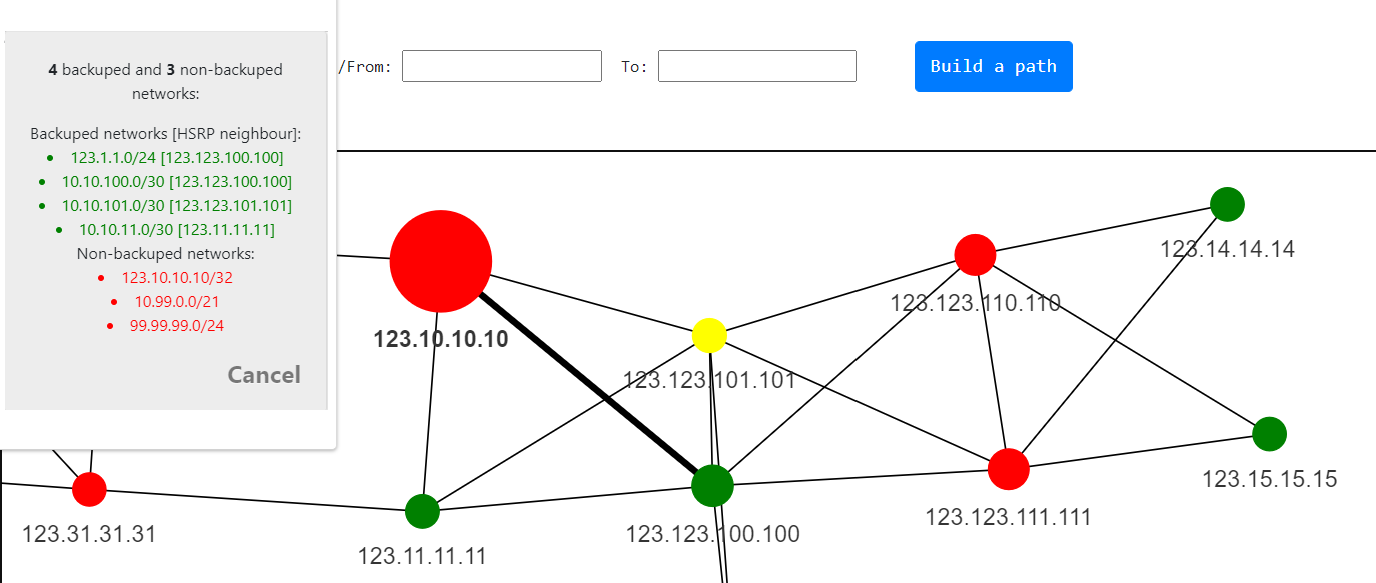
The Network Heatmap (under Analytics) reveals structural properties of the topology at a glance — which links and nodes carry the most paths, where your single points of failure are, and which networks have no backup path.
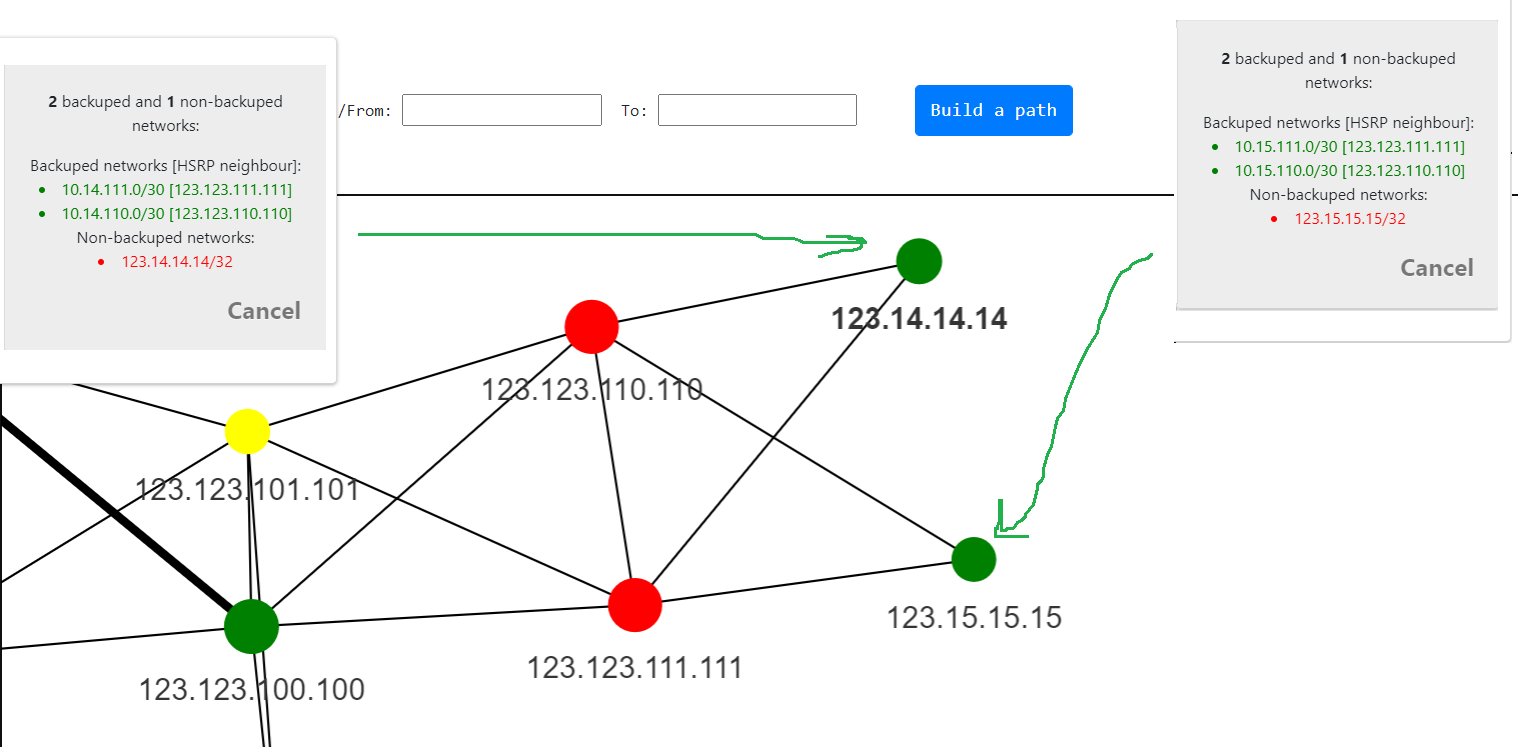
Nodes marked red carry the most networks with no backup path.
Choose None backuped networks to see networks with a single termination point: they attach to only one device, so if that device fails they become unreachable.
Detecting asymmetric paths
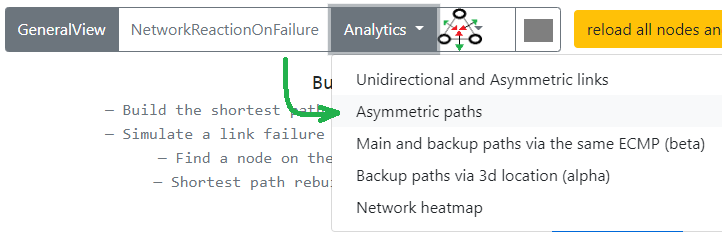
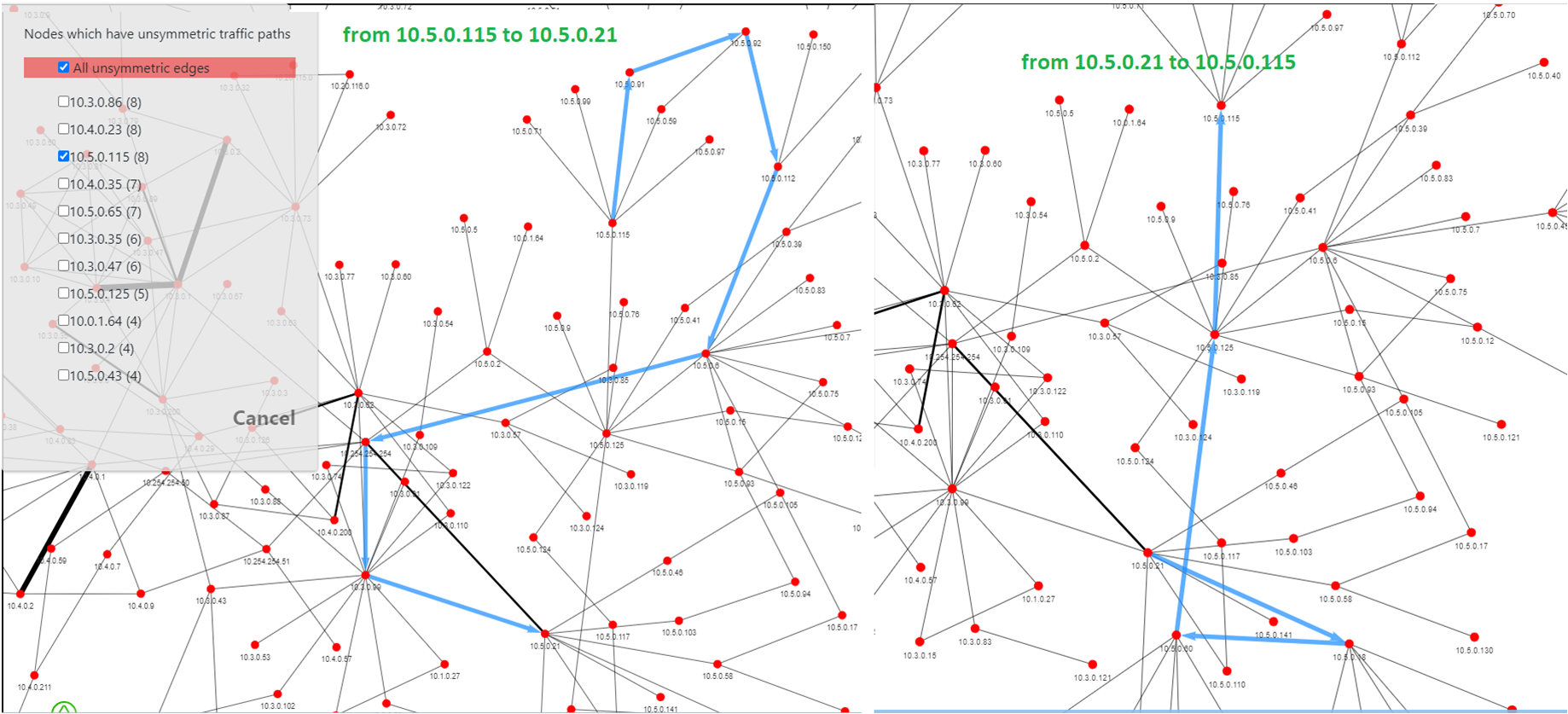
Routing that takes one path forward and a different path back can complicate firewalls, QoS and troubleshooting. Topolograph's Analytics → Asymmetric paths report finds these pairs for you.
Where to go next
-
Compare two snapshots
See what changed between snapshots.
-
Add TE data
Bandwidth, TE metric, admin groups.
-
Watch it live
Capture every change as it happens.