AI Agent
The OSPF & IS-IS AI Agent is a natural-language assistant for your IGP. It talks to real OSPF/IS-IS domains — pulling from Topolograph snapshots or live Watcher state through the MCP server — and answers questions in plain English through a web UI.
vadims06/ospf-isis-ai-agent Demo video
Try the hosted agent
A public instance runs at agent.topolograph.com — ask it questions straight away. It runs on Topolograph's own GPU-hosted model (a Qwen-based LLM), so no OpenAI key is needed there.
What you can ask
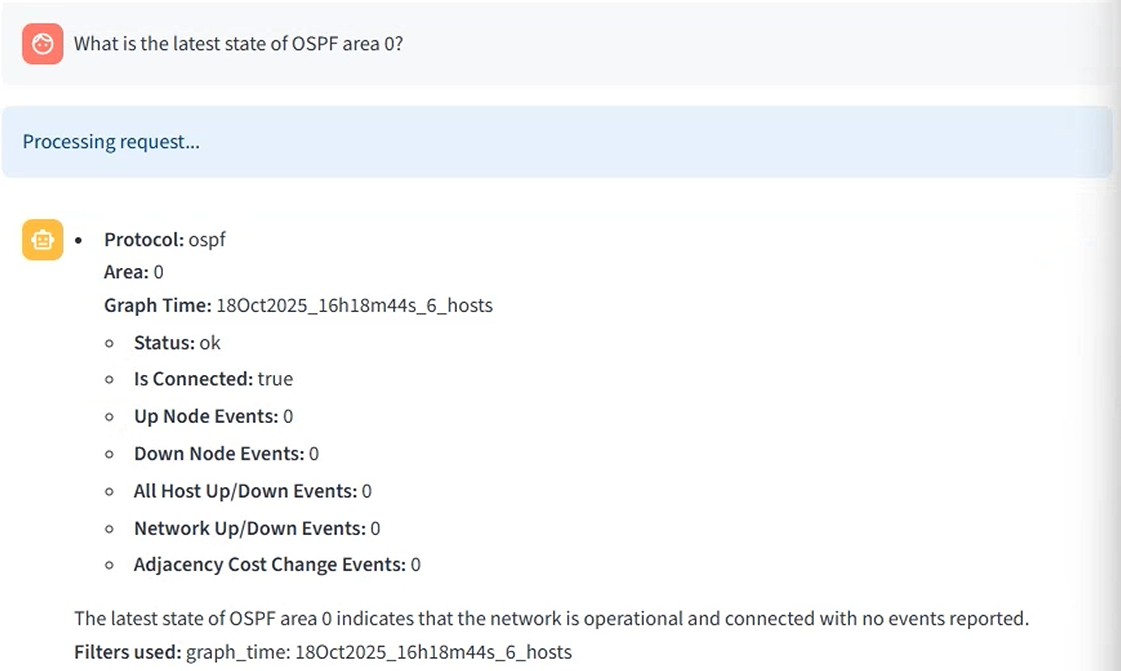
- Which graphs are currently connected?
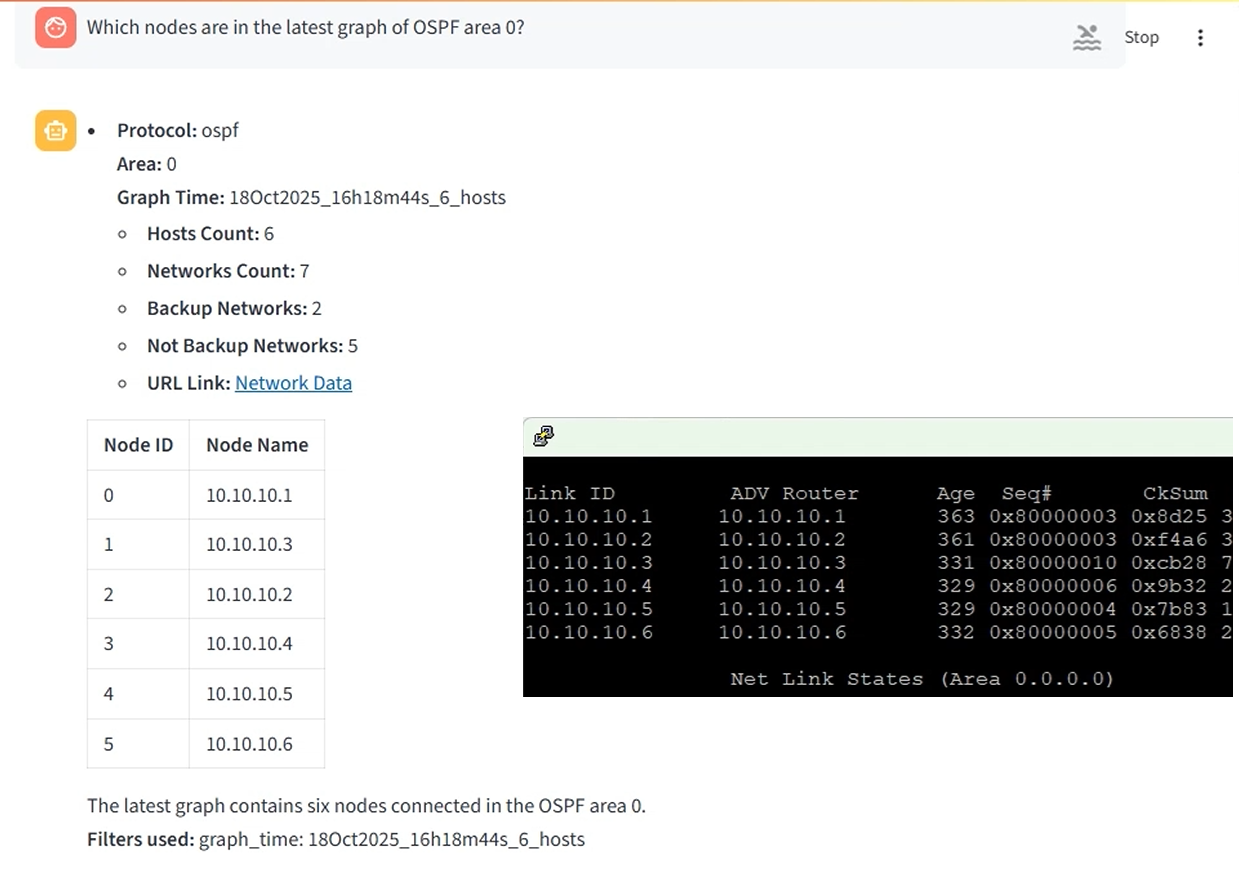
- What nodes are in the latest OSPF area 0 graph?
- Which networks are assigned to a specific host?
- What is the route between two IP addresses?
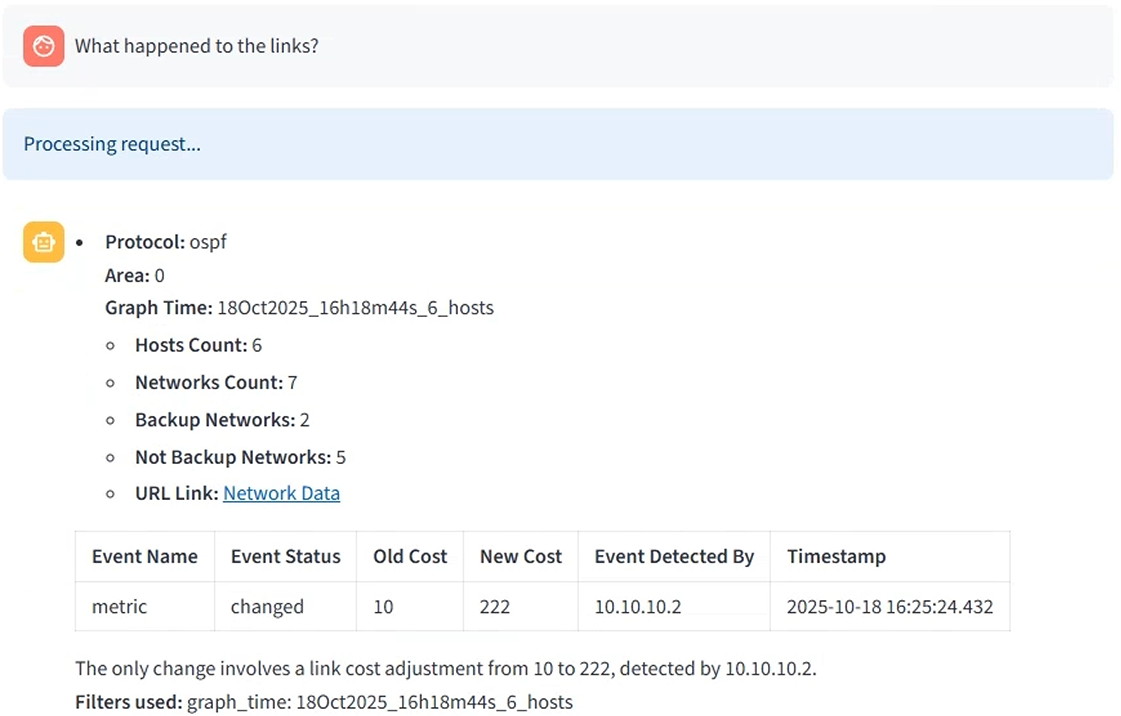
- What happened to the links after the topology changed?
How it fits together
flowchart LR
    U[Your question<br/>in natural language] --> S[Topolograph Agent UI]
    S --> LLM[LLM model]
    LLM --> MCP[Topolograph MCP server]
    MCP --> T[Topolograph<br/>snapshots + live state]
The agent uses the MCP server as its bridge to Topolograph, so it can answer with grounded, real network data rather than guesses.
Quick start (Docker)
Prerequisites
An OpenAI API key (the demo costs well under \$1). A local LLM option via vLLM is in development.
Because the current setup uses public OpenAI models, a local MCP endpoint must be reachable from OpenAI — so you expose it with a tunnel.
Then point the agent at the tunnel in .env:
Start it and open the UI:
Reproduce the demo
# 1. Topolograph + an OSPF lab
git clone https://github.com/Vadims06/topolograph-docker
cd topolograph-docker
sudo ./install.sh

# 2. The assistant (from this repo)
docker-compose up --build
Local development
Related: MCP Server · Python SDK · Real-time monitoring